cd66 App – Your Full Casino in Your Pocket
The cd66 app brings sports betting, live casino, crash games and slots to your Android phone. Free to download, no subscription, works on Android 6.0 and above. Install takes under two minutes.
- SSL Encrypted
- Android 6.0+
- bKash & Nagad
- 24/7 Support
- 18+ Only
 Scan to download
cd66.apk (58 MB)
Get the cd66 App on Android – Step by Step
Android phones block APK files from outside the Play Store by default. You need to allow "unknown sources" once — it only takes a few taps and you can switch it back after.
-
Allow Installation from Unknown Sources
Open your phone's Settings, go to Security (or Privacy on some phones), and enable Install Unknown Apps. On Android 8 or above, you may be asked to grant this permission to your browser app specifically — tap Allow from this source when prompted. You can turn this off again after installation is complete.
-
Download the cd66.apk File
Tap the Download APK button on this page. Your browser will start downloading cd66.apk (58 MB). Make sure you are connected to a stable mobile data or Wi-Fi connection. The file will appear in your browser's download notification or in your phone's Downloads folder when it finishes.
-
Open the File and Begin Installation
Tap the downloaded cd66.apk file — either from the browser notification bar or from your phone's Files app under Downloads. Android will show you a summary of the app permissions it requires. Review them and tap Install. The installation normally takes 15–30 seconds depending on your phone model.
-
Open the cd66 App
Once installation is done, tap Open directly from the install screen, or find the cd66 icon on your home screen. The app will load in a few seconds. You will land on the lobby showing live sports odds, casino games and crash games — all ready to browse before you log in.
-
Log In or Register
Tap Log In at the top right if you already have a cd66 account. If you are new, tap Register and complete the short sign-up form — it takes about 90 seconds. After registering, make your first deposit via bKash or Nagad (minimum ৳150) and your welcome bonus applies automatically.
Is the APK Safe to Install?
The APK is built and distributed directly by cd66. Here is what the app does and does not do with your device.
All Traffic Is Encrypted
Every connection between the cd66 app and the server uses HTTPS with TLS encryption. Your login credentials, deposit requests and personal details are never transmitted in plain text. The same encryption protects your bKash and Nagad transactions inside the app.
No Camera or Microphone Access
The cd66 app does not request access to your camera, microphone, contacts or call log. The only permissions it needs are internet access (to load games) and storage access (to save the APK during updates). You will see these listed on the install screen before you confirm.
Updates Are Announced In-App
When a new version is available, a banner appears inside the app with a direct download link to the new APK. You are never automatically redirected to a third-party site. Always use the update link from within the app or from cd66.mobi/cd66-app/ to avoid unofficial files.
How to Verify the File
Before installing, check that the file name is exactly cd66.apk and the size is 58 MB. If you downloaded from this page and both match, the file is genuine. If the size differs by more than a few hundred KB, delete the file and re-download. Do not install APKs shared in WhatsApp groups or Telegram channels.
System Requirements & Version Details
| App Version | 2.6.11 |
| File Name | cd66.apk |
| File Size | 58 MB |
| Minimum Android Version | Android 6.0 (Marshmallow) |
| Last Updated | 09 November 2026 |
| Price | Free |
| Languages | English / Bangla |
| iOS Support | Web app via "Add to Home Screen" |
The app runs on Android phones and tablets. iOS users can access the same full experience through the mobile browser — see the iOS guide below.
- Games Available
- 3,400+
- Welcome Bonus
- 125%
- Min Deposit
- ৳150
- Withdrawal in
- 26 min
App vs Browser – What's the Difference?
Both the app and the browser version connect to the same account, same games and same wallet. Here is where they differ in day-to-day use.
| Feature | cd66 App (Android APK) | Mobile Browser |
|---|---|---|
| Push notifications for odds changes | Yes – instant alerts | Not available |
| Loading speed on mobile data | Faster (assets cached) | Standard page load |
| Works on iOS (iPhone / iPad) | Android only | Any device browser |
| Deposit via bKash & Nagad | Yes | Yes |
| Live casino with Ezugi & Playtech | Yes – full HD stream | Yes |
| Cricket & football live betting | Yes | Yes |
| Crash games (Aviator-style) | Yes – smooth animation | Yes |
| Auto-login (save session) | Stays logged in | Clears on browser close |
| Storage space needed | 58 MB installed | No storage needed |
| KYC document upload | Camera shortcut | File upload |
Not ready to install yet? You can log in from the browser and play everything right now — no download needed.
What You Can Play Inside the App
Once installed, the app opens the full cd66 lobby. Here are the main game types — all in one place.
Live Casino
Join real dealers at baccarat, roulette, blackjack and Dragon Tiger tables streamed in HD by Ezugi and Playtech. The app keeps the stream smooth even on a 4G connection. Minimum bet from ৳10 depending on table.
Cricket & Football Betting
Bet on BPL, IPL, T20 World Cup, Premier League and more. Live odds update in real time and you get push notifications when a match you followed is about to start. Cash out before the final whistle if the odds move in your favour.
Crash Games
Play Aviator-style crash rounds and decide when to cash out before the multiplier crashes. The app renders the rising curve smoothly and your cash-out tap registers fast — no lag from browser reloads. See the full guide on our Aviator & Crash Games page.
Slots – Over 3,400 Titles
Browse slots from Pragmatic Play, Habanero, Red Tiger and KA Gaming. Highlights include Wild Bandito (RTP 97.1%), Leprechaun Riches (RTP 97.2%) and Money Coming (RTP 97.6%). Filter by provider or RTP directly in the app.
Fishing Games
Fishing Kui Li (Pragmatic Play) and Cat Fishing (Red Tiger) are fan favourites. Tap to shoot, collect fish for multipliers. These games load faster in the app than in a mobile browser because assets are pre-cached at install time.
Deposits & Withdrawals
Top up with bKash, Nagad, Rocket, Upay or bank transfer. Deposits credit in under 5 minutes. Withdrawals process in about 26 minutes. Minimum deposit is ৳150. The app saves your preferred payment method so the next top-up is two taps away.


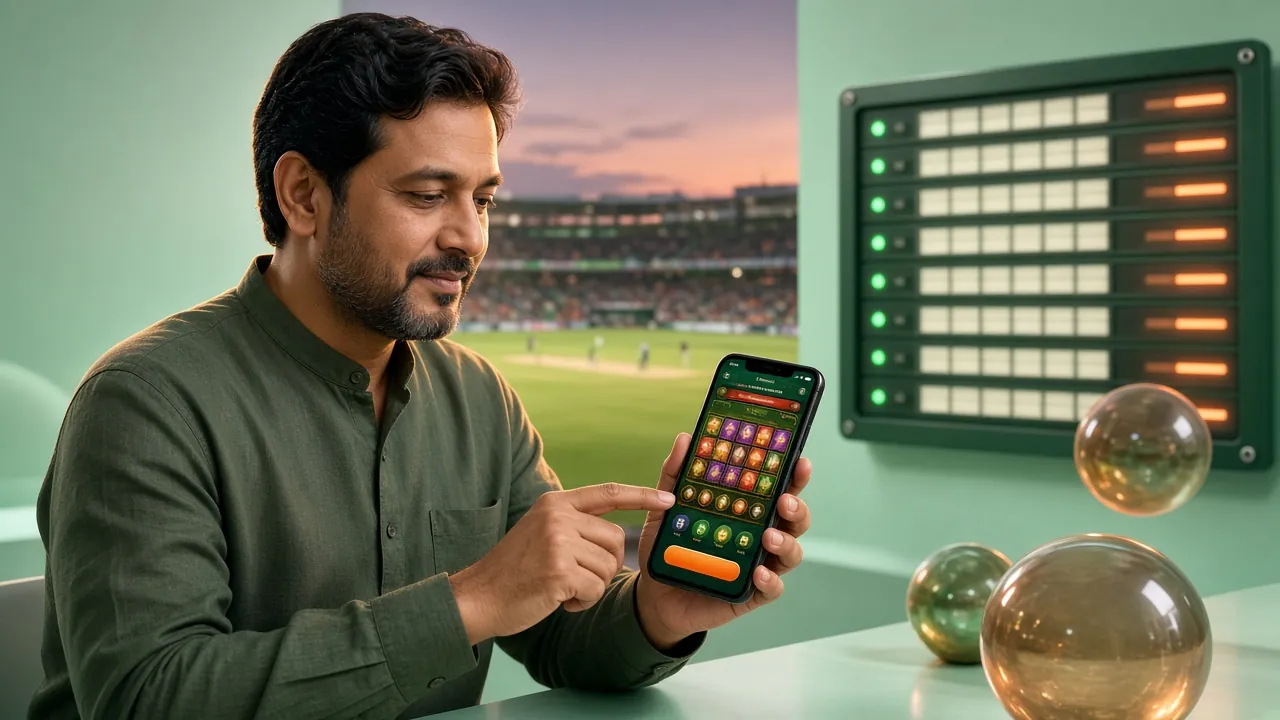
These are just two of the slots you can play inside the cd66 app. The full lobby covers slots, lottery, fishing, sports and live casino — all in one download. Want to explore before installing? Visit the cd66 Casino page for a full game list.
iPhone & iPad: Add It to Your Home Screen
Apple does not allow APK files, but the cd66 mobile site works as a web app on Safari. Here is how to pin it to your home screen for a full-screen, app-like experience.
-
Open cd66.mobi in Safari
On your iPhone or iPad, open Safari (not Chrome or Firefox — only Safari supports the "Add to Home Screen" feature on iOS). Go to cd66.mobi and wait for the page to fully load.
-
Tap the Share Icon
Tap the Share button at the bottom of the Safari screen — it looks like a box with an arrow pointing up. If you are on an iPad, the Share button is at the top right of the browser toolbar instead.
-
Select "Add to Home Screen"
Scroll through the share options until you see Add to Home Screen. Tap it. You can rename the shortcut if you like — the default name "cd66" is fine. Tap Add in the top right corner to confirm.
-
Open from Your Home Screen
Find the cd66 icon on your home screen. Tapping it opens the site in full-screen mode — the Safari address bar disappears and it looks and feels like a native app. Log in with your existing account or register a new one.
iOS Limitations to Know
- All games, deposits and withdrawals work exactly the same as on the browser version.
- You will not receive push notifications from the web app on iOS — check odds updates inside the site.
- The web app updates automatically — no need to manually re-add it to your home screen for new versions.
- If the app asks you to log in again, it is because Safari cleared site data. Enable Settings → Safari → Prevent Cross-Site Tracking off to stay logged in longer.
Common APK Installation Problems – Fixed
Most install issues have a quick fix. Check the table below before contacting support.
| Problem | Likely Cause | Fix |
|---|---|---|
| "Install blocked" message | Unknown sources permission not enabled for the browser app | Go to Settings → Security → Install Unknown Apps → find your browser → allow. Then tap the APK file again. |
| APK file fails to download | Weak mobile data or the browser blocked the direct download link | Switch to Wi-Fi and try again. If your browser shows a "harmful file" warning, tap "Download anyway" — this is a generic Chrome warning for APK files. |
| "App not installed" error after tapping Install | An older version of cd66 is already installed, or storage is too low | Go to Settings → Apps → find cd66 → Uninstall. Then install the new APK. If storage is the issue, free up at least 150 MB and retry. |
| App crashes immediately on open | Android version below 6.0, or corrupted download | Check Android version under Settings → About Phone. If it is below 6.0, the app will not run. If the version is fine, delete the APK and re-download — the file may have corrupted mid-download. |
| Games load slowly or freeze inside the app | Weak internet connection or background apps consuming bandwidth | Close other apps running in the background. For live casino streams, a minimum 3G connection (or better) is recommended. Switch to Wi-Fi if mobile data is inconsistent where you are playing. |
If your problem is not in this table, our 24/7 live chat team can walk you through it — tap the chat icon inside the app or on the cd66 website.
Questions About the cd66 App
Is the cd66 APK file safe to install on my phone?
Yes. The APK is built and signed by the cd66 development team and distributed exclusively through cd66.mobi. It does not contain malware or hidden trackers. The app only requests internet and storage permissions — both necessary for gameplay and updates. To be sure you have the genuine file, check that it is exactly 58 MB and named cd66.apk. Files shared through WhatsApp or Telegram groups may be modified copies — always download directly from this page.
Why does Android say the file is "harmful" or "blocked"?
Google Chrome and some other browsers show a generic warning for all APK files downloaded from outside the Play Store — it is not specific to cd66. This warning appears because Android cannot verify files the same way it verifies Play Store downloads. The file itself is clean. Tap "Download anyway" or "Keep" when Chrome shows the warning, then proceed with the normal install steps. This is standard behaviour for any third-party APK in Bangladesh.
How do I update the cd66 app to the latest version?
When an update is available, a notification banner appears inside the app. Tap it to go directly to the download page. Download the new APK (the filename stays cd66.apk), tap it to install and Android will update the existing app — your account, settings and bonus balance are all preserved. You do not need to uninstall first unless the update instructions say otherwise. The current version is 2.6.11, released on 09 November 2026.
Can I use the same account on both the app and the browser?
Yes. Your cd66 account is the same regardless of how you access it. Log in with the same username and password on the app, mobile browser or desktop. Your balance, bonuses, VIP level and transaction history are all synced in real time. If you are logged in on two devices at the same time, both sessions stay active — no automatic logout occurs unless you sign out manually.
Does the app work without a stable internet connection?
No — the cd66 app requires an active internet connection at all times. Live casino streams need a consistent 3G or Wi-Fi connection for smooth video. Sports betting and slots work fine on a 2G connection but may load more slowly. The app does not have an offline mode. If your connection drops mid-game, most slot games will pause and resume from the last confirmed round when you reconnect.
What if the installation fails and shows "Parse error"?
A "Parse error" almost always means the APK file did not download completely — it was interrupted before finishing. Delete the partial file from your Downloads folder, reconnect to a stable Wi-Fi or mobile data connection, and download the APK again from this page. If the error persists after a fresh download, check that your Android version is 6.0 or above. Older devices running Android 5.x cannot install cd66 version 2.6.11.
Can I deposit and withdraw using bKash inside the cd66 app?
Yes. The app supports all five payment methods available on the full site: bKash, Nagad, Rocket, Upay and bank transfer. The minimum deposit is ৳150 and deposits credit to your account in under 5 minutes. Withdrawals take approximately 26 minutes to process. The minimum withdrawal amount is ৳900. For a detailed walkthrough of the deposit process, see our Deposit Guide.